Most companies order a video ad blind. They ask for something "dynamic and modern" and get back a thing they could not name and never wanted. So I put every effect I use in reels, spots and motion videos in one place: the SpotMade video effects library. There are 50 of them, each with a short example clip, a catalogue number and a note on when it works and when to skip it.
This post is a guide to the whole library. I walk through all 9 categories, explain in plain words what each effect does, suggest which ones fit which industry, and say honestly how many effects make sense in one video. The library is free and open: no account, no email required.
A fair warning up front: these are effects I edit for SpotMade clients, so I am not neutral. I do not sell presets or download packs here. I show what I can do with your photo or footage, so you can order a specific thing instead of "something cool".
What is in the library
| What | How many |
| Effects with a video example | 50 |
| Categories | 9 |
| Ready-made sets by industry | 5 |
| Industries in the filters | 6 (food, real estate, beauty, events, product, personal brand) |
| Examples made with an AI generator | 14 of 50, each one labelled |
| Resolution of the finished video | 4K |
| Free sample on your own material | within 48 hours |
Numbers 01 to 50 are fixed, so in an email you can simply write "I would like 10, 29 and 43".
How to use the library in three steps
- •Browse. On the library page you filter by category, by industry, or type a word into the search box. A click on a tile opens a full-screen preview, and the arrows take you to the next effect.
- •Add to "My video". Every effect has an add button. The list is saved in your browser and has its own link you can send to a partner or to me.
- •Send the list and a photo. I send back a short sample with those effects on your product or venue. The sample is free and comes with no commitment.
If you would rather not pick single effects, the same page has a "Build your ad" configurator and five ready-made sets, described below.
The 9 categories at a glance
| Category | Effects | What it is for |
| Transitions | 9 | Join two scenes so the viewer misses the cut, or feels it on the beat |
| Motion and slow motion | 7 | Slow down, speed up and add camera movement where there was none |
| Colour and film stock | 8 | Give the footage one consistent look, from cinema to VHS tape |
| Light and shadow | 5 | Add light, weather and reflections that were not on set |
| Captions | 1 (10 styles) | Make the video watchable with the sound off |
| Special effects | 9 | Do what is impossible on set: clones, holograms, a new sky |
| Cinema | 6 | Devices from feature films: chapters, letterbox, character cards |
| 3D and AI styles | 4 | A floating product, a 3D render and an illustrated style from one photo |
| Editing | 1 | Characters placed in a real spot in your city |
Transitions: 9 ways to join two scenes
A transition is the moment one scene turns into another. A good one has a reason: a sideways camera move, a walk through a door, a beat. A bad one is there "because it looks nice" and gets tiring by the third time. That is why most transitions in the library come with a limit, for example a glitch once or twice per video at most.
- •01 · Whip pan: A punchy transition that pulls the eye straight into the next scene.
- •02 · Zoom-through: Fly into the next scene with a blur, like stepping inside.
- •03 · Flash to white: A burst of light on the beat that opens a new chapter.
- •04 · Light leak: Warm light sweeps through the cut: mood and warmth.
- •05 · Swirl: The frame spins into the next one and pulls you into the detail.
- •06 · Glitch: A digital hiccup on the accent: modern, with an edge.
- •07 · Window in a window: New shots pop out of the previous ones: step into a new world.
- •08 · Punch-in: The frame jumps on the beat: a strong accent on a logo, a price or a product.
- •09 · Ink reveal: The new scene spreads like ink: elegant and hand-made.
If you pick only one transition to start with, take the zoom-through. It suits interiors, venues and events because it copies what a person does: walks inside.
Motion and slow motion: 7 effects that stop the thumb
Slow motion only works when there is something to look at: a drop, a bite, an impact, a splash. The best slow motion comes from footage shot at 60 or 120 frames per second. When that footage does not exist, the missing frames can be generated, and the library shows both methods side by side so you can see the difference between smooth and stuttering.
- •10 · Impact slow motion: A drop frozen in mid-air: nobody scrolls past.
- •11 · Living photo: The frame stands still while the world inside it breathes. (AI)
- •12 · True slow motion: Smooth slow motion with no stutter, shown side by side.
- •13 · Product orbit: The camera circles the product like in a studio, without the studio. (AI)
- •14 · Vertigo zoom: The background stretches behind the person: a moment of realisation.
- •15 · Depth from one photo: A plain photo gets motion and depth.
- •16 · Foreground wipe: Peeking at the scene from behind something: intimate and cinematic.
For companies that only have photos, the key effect is number 15, depth from a single photo. An ordinary picture of a venue or a dish becomes a shot where the camera drifts and the layers separate like in real footage.
Colour and film stock: 8 looks that change how a brand feels
Colour is the fastest way to make phone footage look more expensive. More important than a "pretty grade" is that every shot looks as if it was filmed on one camera on the same day. If you mix clips from a phone, a camera and an AI generator, a shared grade glues them into one piece.
- •17 · Film colour: A warm, cinematic grade that makes phone footage look expensive.
- •18 · Colour from a film you love: Your footage in the colour palette of a film you like.
- •19 · Glowing black and white: A black-and-white chapter that turns up the tension.
- •20 · Film stock: The warm glow and grain of old film: emotion and nostalgia.
- •21 · Cinema lens: Horizontal light streaks, just like in the movies.
- •22 · VHS tape: A 90s camcorder date stamp and noise: a memory people share.
- •23 · Vintage: Golden film stock, soft light, warmth.
- •24 · Dots: An image built from coloured dots, like an old monitor.
The retro looks (film stock, VHS, vintage) work best in memories, anniversaries and content people forward to each other. For a premium product offer, stay with the film colour.
Light and shadow: 5 effects that were not on set
Light sets a mood faster than any caption. The shadow of blinds on a table, flour dust in a beam of light in a bakery, or snow falling over a bowl of ramen in December are small things that tell the viewer the time of day and the season before they read a single word.
- •25 · Blind shadows: Stripes of light and shadow: a film-noir mood.
- •26 · Dust in the light: Particles float in a beam of light and the frame gains depth.
- •27 · Snow, rain, sparks: Weather on demand: snow outside the window in December, sparks over the grill.
- •28 · Reflection: The scene reflects in water: luxury and mood.
- •29 · Light rays in steam: Real shafts of light cut through steam rising from a dish. (AI)
Captions: 10 animation styles on the same sentence
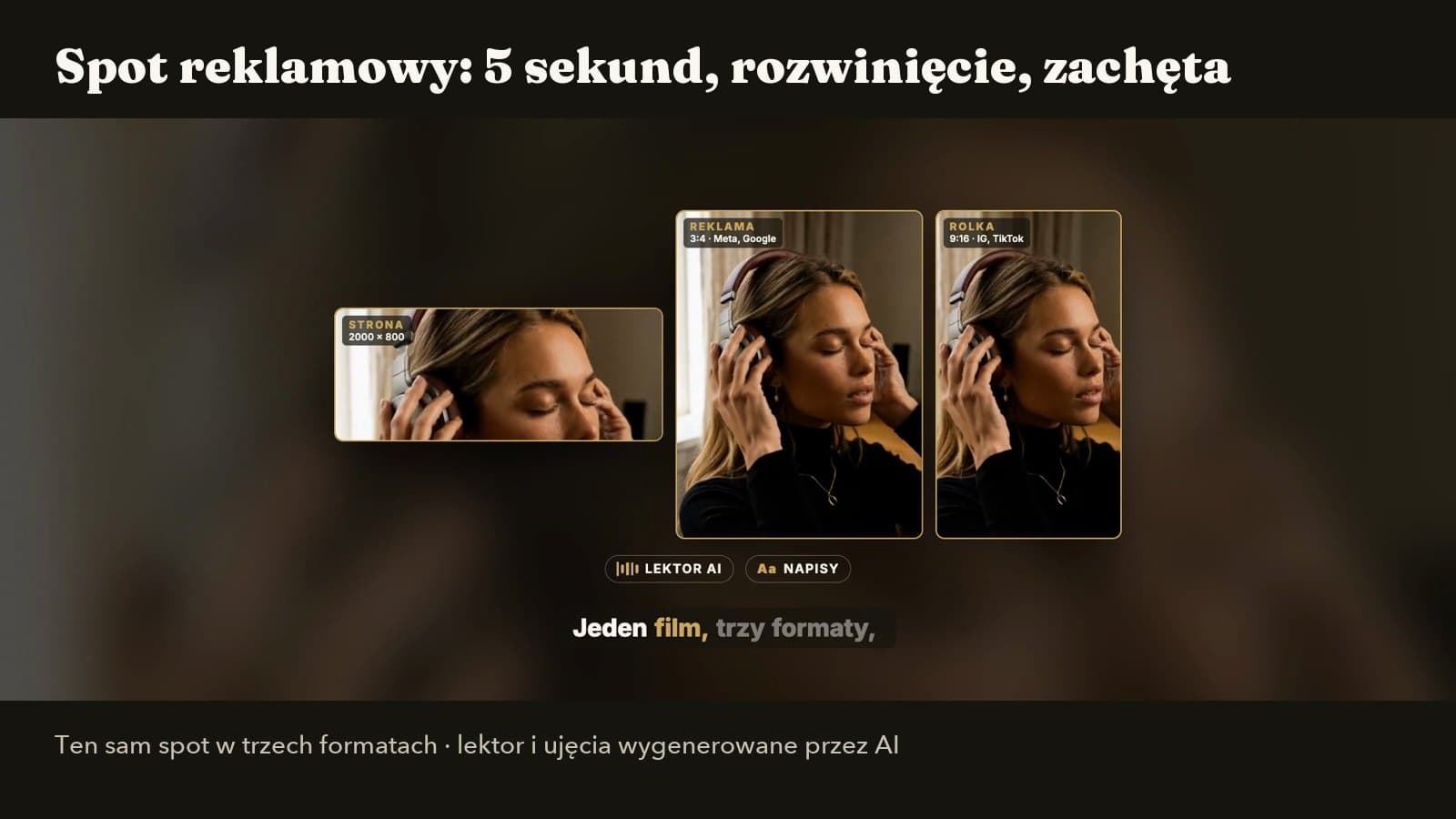
Many people watch videos on their phones with the sound off, so captions are no longer an extra. The library has one effect here, but it shows ten animation styles on the same sentence. Choosing a style with a client takes half a minute instead of three rounds of revisions.
- •30 · 10 caption styles: Captions people read, even with the sound off. (AI)
Special effects: 9 things impossible on set
This is the category for the "what was that?" moment. Special effects work best in the first three seconds or in the finale, and worst when they are everywhere. One strong effect per video is enough.
- •31 · Hologram: A person turns into a glowing hologram: the 'what was that?' effect. (AI)
- •32 · Golden dust: A person dissolves into golden particles: a finale that stays with you. (AI)
- •33 · Cubist mosaic: The image assembles itself from cubist planes. (AI)
- •34 · Three worlds: One clip, three styles in a few seconds. (AI)
- •35 · Drop with a countdown: A countdown to one moment, so viewers stay to the end. (AI)
- •36 · New sky: A sunset or a starry sky, made to order.
- •37 · Clones: One person appears several times in the same shot.
- •38 · Golden outline: A glowing outline points out the hero.
- •39 · Cut-out on brand colour: The background disappears and you stand on your brand colour.
For real estate, effect 36 (a new sky) is the practical one: photos from an overcast day get a sunset without a second visit with the camera.
Cinema: 6 devices from feature films
These effects do not change the picture, they change the way the story is told. Letterbox bars and a place title tell the viewer from the first frame that this is a film, not an ad. Chapter cards organise a longer story, such as a case study or a company history.
- •40 · Crash zoom: A lightning-fast zoom on a reaction: humour and punchline.
- •41 · Character card: The frame freezes and introduces the hero, like in a film.
- •42 · Chapter card: A story told in chapters, like at the cinema.
- •43 · Letterbox and place title: 'This is a film, not an ad', from the very first frame.
- •44 · Film burn: The film burns through and reveals the next scene.
- •45 · Old film: Scratches and dust from the archive: your brand's history.
3D and AI styles: 4 effects from one product photo
One good product photo is enough here. It becomes a shot where ingredients float around the packaging, the product drops into liquid, or the whole scene looks like an anime frame. All four effects are made with an AI generator and are labelled as such.
- •46 · Floating product: Ingredients float around the product: premium in three seconds. (AI)
- •47 · Slow-motion splash: The product drops into liquid, droplets frozen in flight. (AI)
- •48 · Your product as anime and illustration: Anime, clay, ink, watercolour, pixel art, all from one photo. (AI)
- •49 · 3D product render: Your product like a TV commercial, without a studio or a 3D model. (AI)
Editing: characters in a real place
The last category has one effect for now and will grow the fastest.
- •50 · Characters in a real place: Motion and choreography in a well-known spot in your city. (AI)
Which effects for which industry
The industry filter in the library does this automatically, but here is a cheat sheet with where I would start in each of the six industries.
| Industry | Where to start |
| Food and drink | impact slow motion (10), light rays in steam (29), slow-motion splash (47), a punch on the price (08) |
| Real estate | zoom-through (02), depth from a single photo (15), a new sky (36), film colour (17) |
| Beauty | light leak (04), ink reveal (09), blind shadows (25), floating product (46) |
| Events | flash to white (03), glowing black and white (19), crash zoom (40), chapter card (42) |
| Product | product orbit (13), 3D render (49), blind shadows (25), a glitch on the logo (06) |
| Personal brand | living photo (11), character card (41), golden outline (38), film stock (20) |
5 ready-made sets
A set is five effects that play well together and add up to one video. If you have no time to browse the whole library, pick a set and tell me what to swap.
| Set | For whom | The promise |
| Food turbo | restaurants, cafes, food trucks | A dish you cannot scroll past |
| Cinema premium | premium brands, hotels, product launches | Your brand as a film trailer |
| Calm real estate | developers, estate agencies, apartments | A smooth walk-through that sells the space |
| Anime | food, games, brands for a young audience | Your product as an anime scene |
| Personal brand | experts, creators, coaches, artists | You in a frame that stays in the mind |
How many effects fit in one video
The most common mistake is too many effects. A video where something flashes every second looks like a software demo, not an ad. My rules:
- •A 15 to 30 second reel: three to five effects. One strong one at the start, one for the finale, the rest are transitions and colour.
- •One special effect per video. A hologram, clones and golden dust in a single reel cancel each other out.
- •Glitch and flash to white have limits. A glitch once or twice at most, a flash a few times at most and only on the beat.
- •One colour look. Pick one look for the whole video. A change of look only makes sense as a separate chapter, for example black and white before the music drops.
- •Captions always. The only "effect" I recommend in every video, because it decides whether anyone understands the message with the sound off.
- •Every effect needs a reason. If you cannot say why it is in that second, remove it.
What is made with AI and how I label it
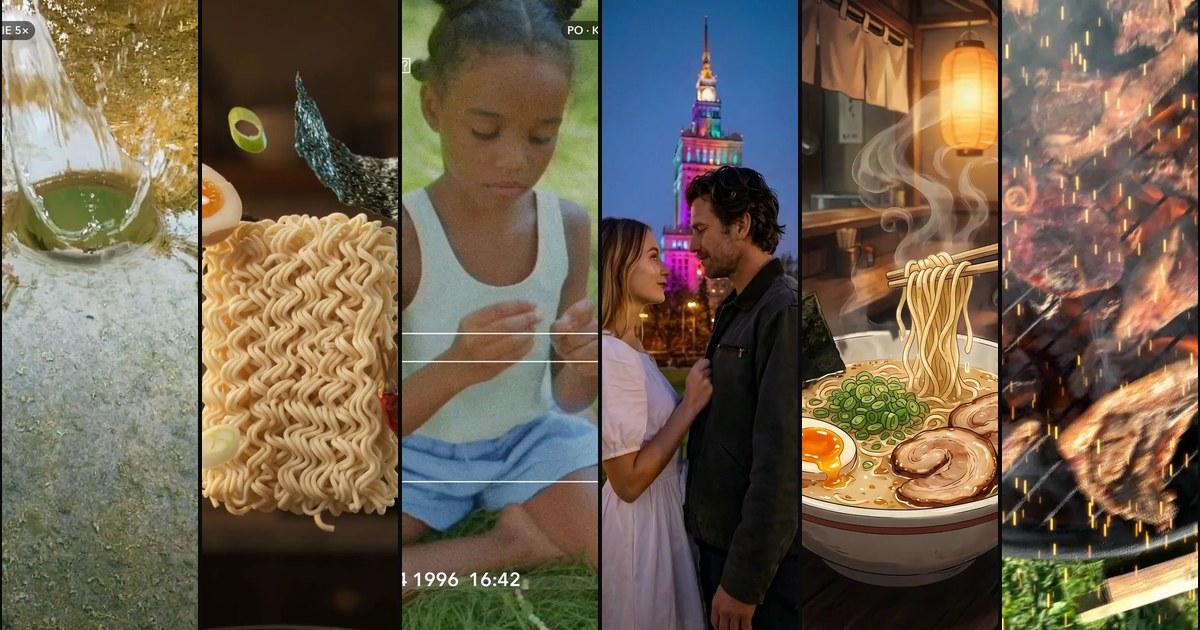
Fourteen of the fifty examples carry an AI label in the library. In nine of them the effect itself is made in a generator, among them the floating product, the slow-motion splash, the 3D render and the anime style. In five the effect is done in editing, but the shot it is shown on was generated (for example the couple in front of the Palace of Culture, or the ramen bowl under the captions). The other 36 are classic editing shown on real footage, including licensed stock footage. I keep the two apart on purpose: you have a right to know what you are buying, and the rules on labelling AI-generated content are getting more specific every year.
How much a video with chosen effects costs
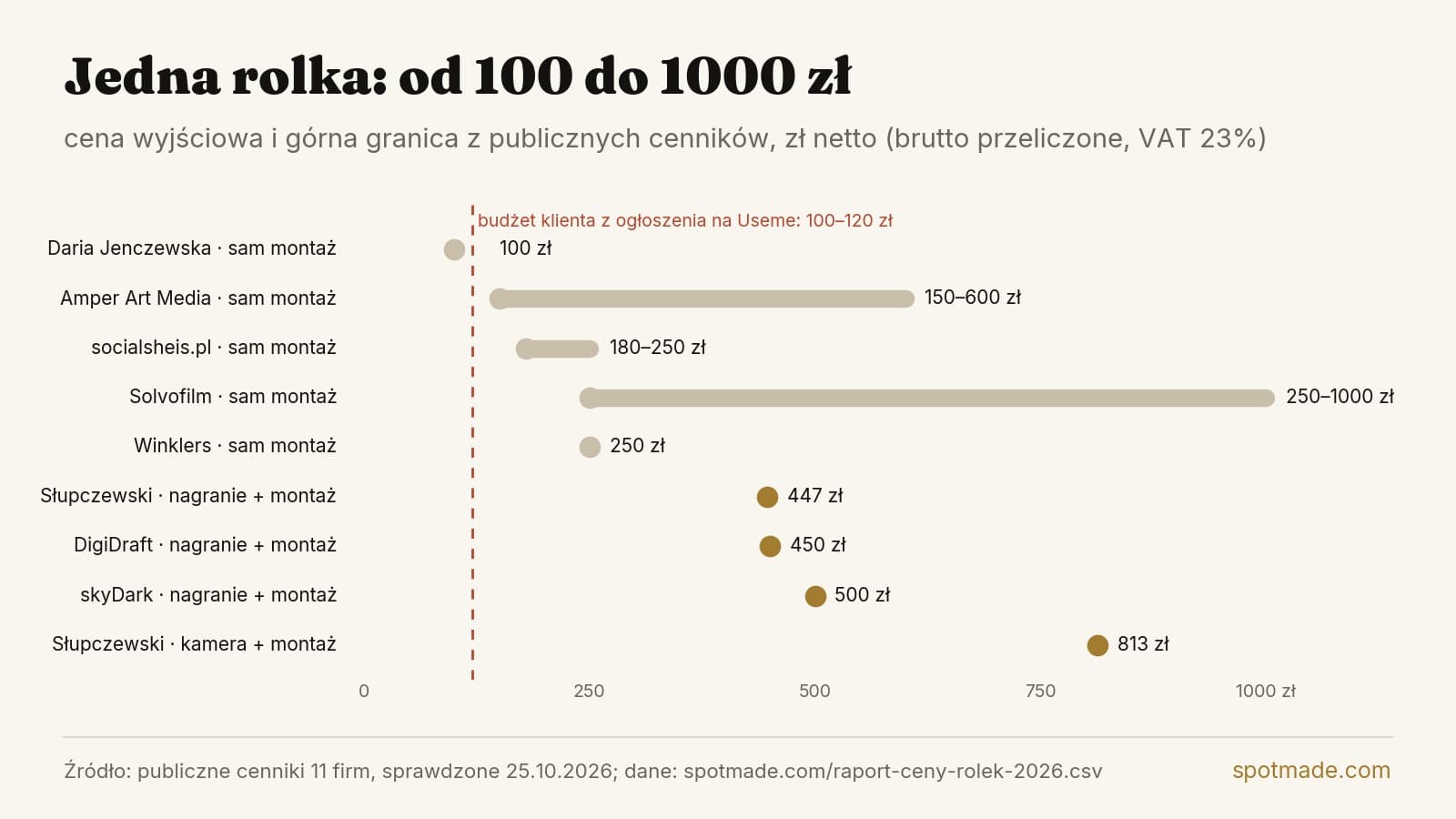
The price depends on the length of the video and the number of formats, not on the number of effects. Motion animation starts at 390 PLN net, and reels and spots follow the price list. A sample on your own photo is free.
Frequently asked questions
Can I download these effects as presets?
No. The library is not a preset shop. It is a catalogue of what I edit to order on your material. You can watch the examples and share them freely.
Do I need professional footage?
No. Most effects work on phone footage, and some (depth from a single photo, the floating product, the 3D render) need only one good photo.
Can I combine effects from different categories?
Yes, and that is how it usually goes. A typical video has one or two transitions, one colour look, captions and one strong effect for the opening or the finale.
How fast do I get a sample?
Within 48 hours of sending the list of effects and a photo or footage.
Will the library grow?
Yes. Every new effect that proves itself in client work goes into the library with its own number and example.
Where to start
Open the effects library, click three effects you like, and send me the list with a photo of your product or venue. Within 48 hours you will see them on your own material. It is the simplest way to stop ordering a video blind.